
Mixus
Deploy trusted AI agents with built-in human verification to avoid costly errors. Create, supervise and chain your agents across teams, keeping control of every interaction before it reaches your customers

Best for
Deploy trusted AI agents with built-in human verification to avoid costly errors. Create, supervise and chain your agents across teams, keeping control of every interaction before it reaches your customers
About Mixus
Deploy trusted AI agents with built-in human verification to avoid costly errors. Create, supervise and chain your agents across teams, keeping control of every interaction before it reaches your customers
Scenarios
Alternatives
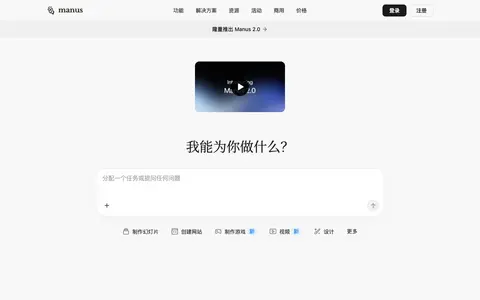

Manus AI Agent
An AI agent that executes advanced tasks without human intervention. From travel planning to financial analysis, this multimodal autonomous agent can navigate on the web and achieve all your tasks
An AI agent that executes advanced tasks without human intervention. From travel planning to financial analysis, this multimodal autonomous agent can navigate on the web and achieve all your tasks
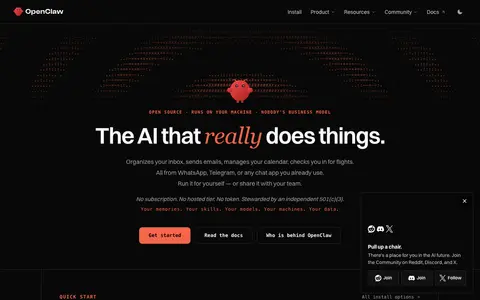

OpenClaw
A locally hosted open-source personal AI assistant (Mac/Windows/Linux) with persistent memory and full system access. Control it via WhatsApp, Telegram, Discord, Slack, iMessage, or Signal to automate your workflows
A locally hosted open-source personal AI assistant (Mac/Windows/Linux) with persistent memory and full system access. Control it via WhatsApp, Telegram, Discord, Slack, iMessage, or Signal to automate your workflows


Hermes Agent
Install an open-source agent on your own machine that remembers everything, improves over time, and orchestrates your complex tasks (web, code, files, APIs) using a variety of tools and templates. A single command is all it takes to deploy it on Linux, macOS, or WSL2
Install an open-source agent on your own machine that remembers everything, improves over time, and orchestrates your complex tasks (web, code, files, APIs) using a variety of tools and templates. A single command is all it takes to deploy it on Linux, macOS, or WSL2